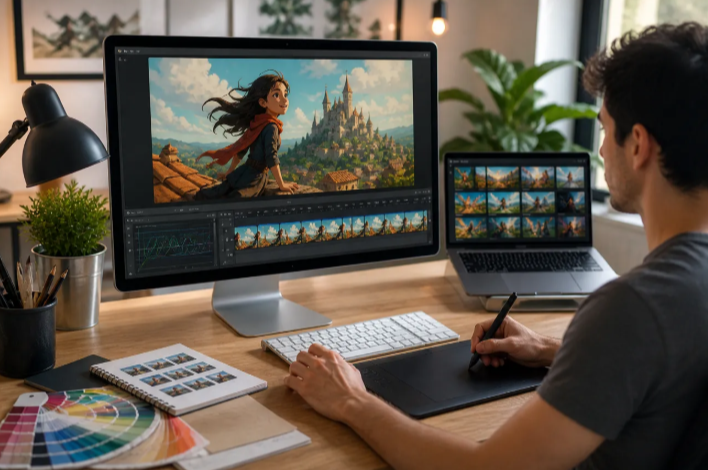
As of June 2026, turning a still photo into a moving clip has gone from a novelty trick to a real part of how creators, marketers, and small businesses produce content. A still product shot becomes a scroll-stopping video. An old family photo gets a few seconds of life breathed back into it. A static portrait turns into b-roll without anyone picking up a camera.
The hard part isn’t finding a tool that can animate photo content. Dozens can. The hard part is finding one that produces footage that actually looks good, doesn’t bury basic features behind a confusing paywall, and fits into a workflow you’ll actually keep using.
I spent two weeks testing the most talked-about photo-to-video platforms on the market, running the same set of test images, portraits, products, and a few low-resolution old photos, through each one. Below is my ranked list, starting with the platform that delivered the most consistent results across every test case.
Magic Hour leads this list because it pairs strong animate photo AI output with a workflow that lets you upscale, add motion, and even sync speech to the result, all without leaving the platform.
Best AI Photo Animator Tools at a Glance
| Tool | Best For | Free Plan | Signup Required | Models Available | Starting Paid Price |
| Magic Hour | Overall quality + workflow | Yes, no signup needed | No | Multiple (Kling, Veo, Sora, LTX-2, Seedance) | $10/mo (annual) |
| Runway | Camera control & creative work | Yes (lifetime credits) | Yes | Gen-4 / Gen-4 Turbo | ~$15–35/mo |
| Pika | Stylized, fast social content | Yes (monthly credits) | Yes | Pika 2.x | ~$10–28/mo |
| Luma Dream Machine | Cinematic, mood-driven motion | Yes (watermarked) | Yes | Dream Machine | ~$30/mo |
| Kling AI | Human motion & portraits | Yes (daily credits) | Yes | Kling 3.0 | Credit-based |
| Leonardo | Artists already using Leonardo | Yes (token-based) | Yes | Motion (token system) | ~$10/mo (annual) |
| CapCut | All-in-one social editing | Yes | Yes | Built-in AI video | Freemium |
| MyHeritage (Deep Nostalgia) | Old and vintage family photos | Limited free | Yes | Proprietary | Subscription |
| BIGVU | Talking photo for business use | Yes, no watermark | Yes | Portrait to Video | Freemium |
| Monica AI | Quick simple animations | Yes (limited quota) | Yes | Proprietary | Freemium |
1. Magic Hour
Magic Hour is the platform I kept returning to during testing, and not because the brand is the loudest in this space. It’s because the output held up across formats and the tool never forced me into a separate app to finish the job.
What stood out immediately is access. You can run a basic animate photo AI generation directly in your browser with no signup and no card on file, getting three free generations a day at three seconds each, with audio included. That’s a real working free tier, not a locked demo. Sign up and you get 400 bonus credits plus 100 daily credits, which is enough to genuinely test the platform before paying anything.
Beyond the core animation feature, Magic Hour functions as a full content pipeline. After animating a photo, I could immediately run the result through the platform’s upscaler or pipe it into lip sync without re-uploading anything. The model lineup also stood out. Free users get LTX-2 for fast iteration with built-in audio, and paid plans unlock Kling 2.5, Kling 3.0, Veo 3.1, Sora 2, and Seedance, all inside the same interface.
Pros:
- Genuinely usable free tier: 3 daily generations with no signup, plus 400 bonus credits after signing up
- Access to multiple frontier models (Kling, Veo, Sora, LTX-2, Seedance) in one place, instead of being locked to a single engine
- One-click multi-step workflows, so you can animate a photo, then upscale or add lip sync without switching tools
- Credits never expire, even on the free plan
- Parallel generations with no concurrency cap on paid plans, useful for testing several motion prompts at once
- Fast variation generation, so trying five different prompts on the same photo doesn’t mean five separate uploads
- Output works across 9:16, 1:1, and 16:9, so the same photo can be exported for TikTok, YouTube, and square feeds without redoing the work
- Full API access with parity to the web app, useful for teams building this into their own product
- Weekly feature releases, so new models tend to show up quickly after release
- Clear privacy stance: uploads and outputs aren’t used for model training, and content can be deleted at any time
Cons:
- Free tier clips are capped at three seconds each, so longer animations require a paid plan
- Premium models like Sora 2 and Veo 3.1 cost meaningfully more credits than the base tier, which can add up for high-volume use
- With this much functionality bundled in, it takes a few minutes to learn where everything lives if you only want the animation feature
If you want a tool that animates a photo well and then lets you keep building on the result instead of exporting and starting over somewhere else, this is hard to beat. The free tier is also generous enough to actually judge quality before committing to a subscription.
Pricing: Free plan with 3 daily generations, no card required. Creator plan is $15/month, or $10/month billed annually. Pro plan is $39/month. Business plan is $99/month for teams and higher-volume work.
2. Runway
Runway has been one of the more recognizable names in AI video for a while, and its image-to-video tooling reflects that maturity. Where it stands apart is camera control. Rather than guessing at motion from a text prompt alone, you can direct specific moves like a slow pan or an orbital shot.
Pros:
- Strong manual camera direction, not just automatic motion guessing
- New accounts get a meaningful batch of lifetime credits to test the platform
- Frequently cited in independent testing as a leading option for creative, production-style work
Cons:
- Lifetime credits run out fast if you’re testing seriously, and there’s no recurring free tier after that
- Some features run at lower priority during peak traffic hours unless you’re on a paid tier
- The level of control that makes it powerful also makes it less beginner-friendly than simpler tools
If precise camera movement matters more to you than speed, Runway is worth the learning curve.
Pricing: Free trial credits for new accounts. Paid plans generally start in the $15 to $35 per month range depending on the tier and credit allowance.
3. Pika
Pika leans into fast, stylized output rather than photorealism, which makes it a strong pick for social-first content where a polished, slightly artistic look works better than strict realism.
Pros:
- Refreshing monthly credit allowance gives a genuinely workable free tier
- Fast turnaround, well suited to high-volume social posting
- API access available for creators automating multi-image workflows
Cons:
- Less suited to brand or corporate work that needs strict photorealism
- Resolution and motion control are more limited than tools built for cinematic output
- Style consistency across a batch of images can vary
I’d point creators chasing a distinct visual style toward Pika before I’d point a brand needing exact product accuracy.
Pricing: Free tier with monthly refreshing credits. Paid plans typically run in the $10 to $28 per month range.
4. Luma Dream Machine
Luma’s Dream Machine produces motion with a cinematic, almost film-festival quality, which makes it popular with music video creators and artists whose work leans atmospheric rather than literal.
Pros:
- Distinctive, moody visual style that’s hard to replicate with more literal tools
- Free tier allows real testing before committing to a paid plan
- Strong fit for mood-driven, artistic animation rather than corporate use
Cons:
- Free tier output includes a watermark
- Less ideal if your priority is strict realism over stylized motion
- Paid plans sit on the higher end compared to several competitors on this list
If your work is closer to art than advertising, this is one of the more distinctive options available.
Pricing: Free plan with watermarked output, around 30 generations a month at 720p. Paid plans start around $30 per month.
5. Kling AI
Kling AI, particularly its 3.0 model, has built a strong reputation specifically for human motion: facial expressions, hair, fabric movement, and identity consistency across a generated clip.
Pros:
- Strong performance specifically on portraits and human subjects
- Daily free credits available without a subscription
- Frequently cited across independent testing as a leading model for motion realism
Cons:
- Credit-based pricing can be harder to predict than a flat monthly plan
- Best results often require more deliberate, technical prompting
- Less focused on bundled features like upscaling or lip sync compared to all-in-one platforms
If your source images are mostly people and you care about how natural the motion looks, Kling is one of the strongest single-purpose options on the market right now.
Pricing: Free daily credits, no fixed monthly fee required to start. Heavier use typically requires a credit pack or subscription bundle.
6. Leonardo
Leonardo started as an AI image generation platform, and its motion feature is a natural extension for creators who already build images there and want to add light animation without learning a new tool.
Pros:
- Seamless fit if you’re already using Leonardo for image generation
- Motion Strength control lets you fine-tune how intense the animation feels
- Simple interface that doesn’t require deep prompting knowledge
Cons:
- Video features sit behind a paid plan, with no standalone free video tier
- Resolution and motion range are more limited than dedicated video-first platforms
- Token consumption can climb quickly at higher quality settings
This is best treated as a bonus feature for existing Leonardo users rather than a primary reason to choose the platform.
Pricing: Motion features available on paid plans starting around $10 per month billed annually, using a token-based system.
7. CapCut
CapCut built its reputation as a free, browser-based editor for TikTok and Reels creators, and it has folded AI image-to-video generation directly into that existing workflow.
Pros:
- Everything happens in one app: animate the photo, add captions, drop in audio, and export
- Extremely low learning curve compared to dedicated motion-control tools
- Strong fit for creators who already edit short-form video in CapCut
Cons:
- Less granular creative control than platforms built specifically around video generation
- Output style leans toward social-ready polish rather than cinematic realism
- Some advanced AI features require a paid tier
If your final destination is TikTok or Reels and you don’t want to juggle multiple apps, CapCut’s integrated approach saves real time.
Pricing: Free with a freemium model; paid tiers unlock additional AI credits and export options.
8. MyHeritage (Deep Nostalgia)
MyHeritage deserves recognition as the tool that brought AI photo animation to a mainstream audience. Deep Nostalgia, its signature feature, focuses specifically on giving life to old and vintage photographs rather than general creative video work.
Pros:
- Strong performance specifically on vintage and historical photos
- Integrates directly with MyHeritage’s genealogy and family tree tools if you already use them
- Simple, low-effort interface aimed at non-technical users
Cons:
- Limited free access compared to dedicated video generation platforms
- Animation styles are narrower than general-purpose tools, since it’s built around one specific use case
- Less useful for product, marketing, or general creative content outside the family photo niche
If your goal is specifically animating old family photos rather than general content creation, this remains one of the most purpose-built options available.
Pricing: Free access is limited; full features require a MyHeritage subscription.
9. BIGVU
BIGVU sits in a slightly different category: rather than general motion or cinematic animation, it focuses on talking photo content, animating a still image to deliver spoken, lip-synced messages.
Pros:
- Strong free tier with no watermark on standard exports
- Connects directly to a fuller production workflow, including captions and script generation
- Useful specifically for business creators, coaches, and real estate professionals making talking-head style content
Cons:
- Narrower use case than general photo animation tools; not built for cinematic or artistic motion
- Less relevant if your work doesn’t involve spoken, presenter-style content
- Smaller model variety compared to multi-model platforms
If your specific need is turning a headshot into a talking video rather than animating scenery or products, BIGVU is a sensible, focused pick.
Pricing: Freemium model, with paid tiers unlocking additional editing and branding tools.
10. Monica AI
Monica rounds out this list as a straightforward, low-friction option for simple animations without much setup or learning curve.
Pros:
- Very simple three-step workflow: upload, generate, download
- Accepts common image formats with a generous resolution allowance
- Free quota available after signup
Cons:
- Motion quality and creative control trail behind dedicated video-first platforms
- Limited export formats compared to more established competitors
- Best suited to casual use rather than commercial or brand work
This is a reasonable starting point if you want something quick and don’t need cinematic-level output.
Pricing: Freemium model with a limited free quota; further use requires upgrading.
How We Chose These Tools
I evaluated each platform using the same basic test set: a clear portrait, a product photo, a landscape image, and one low-resolution scanned photo to see how each tool handled imperfect source material. I ran every test at least twice to rule out one-off rendering issues.
For scoring, I focused on five factors: realism and how naturally the motion matched the subject, processing speed from upload to download, how usable the free tier actually was rather than how generous it sounded on paper, whether the platform offered any workflow beyond the single animation step, and how clearly each platform handled data privacy and content ownership. I weighted consistency across different photo types more heavily than a single impressive demo clip, since a tool that only performs well on one kind of image isn’t reliable for everyday use.
The Market Landscape and Emerging Trends
The clearest trend in 2026 is consolidation. Instead of using one tool to animate a photo and a separate app to upscale, add sound, or sync speech, more platforms are bundling these steps into a single pipeline. Independent comparisons published this year repeatedly note that creators increasingly favor platforms offering this kind of end-to-end workflow over single-purpose tools.
Model competition has also intensified. According to recent industry comparisons, models like Veo 3.1, Kling 3.0, and Seedance 2.0 are now frequently cited side by side as the current benchmark options for image-to-video quality, with each one carving out a slightly different strength: Veo leans toward realism and audio, Kling toward human motion, and Seedance toward subject consistency.
A second trend worth watching is the split between general motion tools and “complete film” tools, platforms that take a batch of photos and produce a finished, edited video with music and pacing rather than a single short clip. This matters mainly for memory and tribute-style content, and is a different use case from the single-image animation this list focuses on.
Final Takeaway
If you want one platform that animates a photo well and then lets you build directly on the result, whether that’s upscaling, lip sync, or exporting in multiple aspect ratios, Magic Hour was the most complete option I tested, and its free tier is generous enough to evaluate seriously before paying anything.
If portraits and human motion are your main subject, Kling AI is worth a dedicated look. If you want cinematic, mood-driven output for artistic work, Luma Dream Machine stands out. And if your real need is turning a headshot into spoken, presenter-style video, BIGVU is the more focused choice.
I guarantee at least one of these tools will meet your needs, but test before you commit. Free tiers exist specifically so you don’t have to take my word, or anyone else’s, for which platform fits your workflow best.
FAQ
What is the best free AI photo animator in 2026?
Magic Hour offers one of the strongest free tiers overall, with three daily generations and no signup required to start. Sign up to unlock 400 bonus credits and access to additional models.
Can I use AI-animated photos for commercial projects?
It depends on the platform and plan. On Magic Hour, for example, paid plan subscribers hold full commercial rights to generated videos, while free-tier output is generally limited to personal, non-commercial use. Always check a platform’s terms before using output in ads or client work.
Do these tools work on old or low-quality photos?
Some are specifically built for it. MyHeritage’s Deep Nostalgia focuses on vintage and historical photos, while general-purpose tools like Magic Hour and Kling can also handle older images, though results vary depending on resolution and image clarity.
What’s the difference between animating a single photo and a “complete film” tool?
Single-image tools like Magic Hour, Kling, and Runway take one photo and a prompt to generate a short clip. Complete film tools take a batch of photos and produce a finished, edited video with music and pacing automatically, which serves a different use case, typically tribute or memory videos rather than general content creation.
How long can an AI-animated photo clip be?
It depends on the model. Some models cap clips around 8 to 12 seconds, while others, like Sora 2 on Magic Hour, support up to 60 seconds. For longer content, most platforms let you generate multiple clips and combine them, or extend the final frame into a new generation.